Cybersecurity threats are constantly evolving, and businesses cannot afford to discover security weaknesses only after an attack. Whether you manage a business website, an online store, a SaaS platform, or an internal application, identifying vulnerabilities before attackers exploit them is essential.
Two common approaches to improving security are vulnerability scanner software and manual penetration testing. Both help organizations identify security weaknesses, but they work differently and serve different purposes.
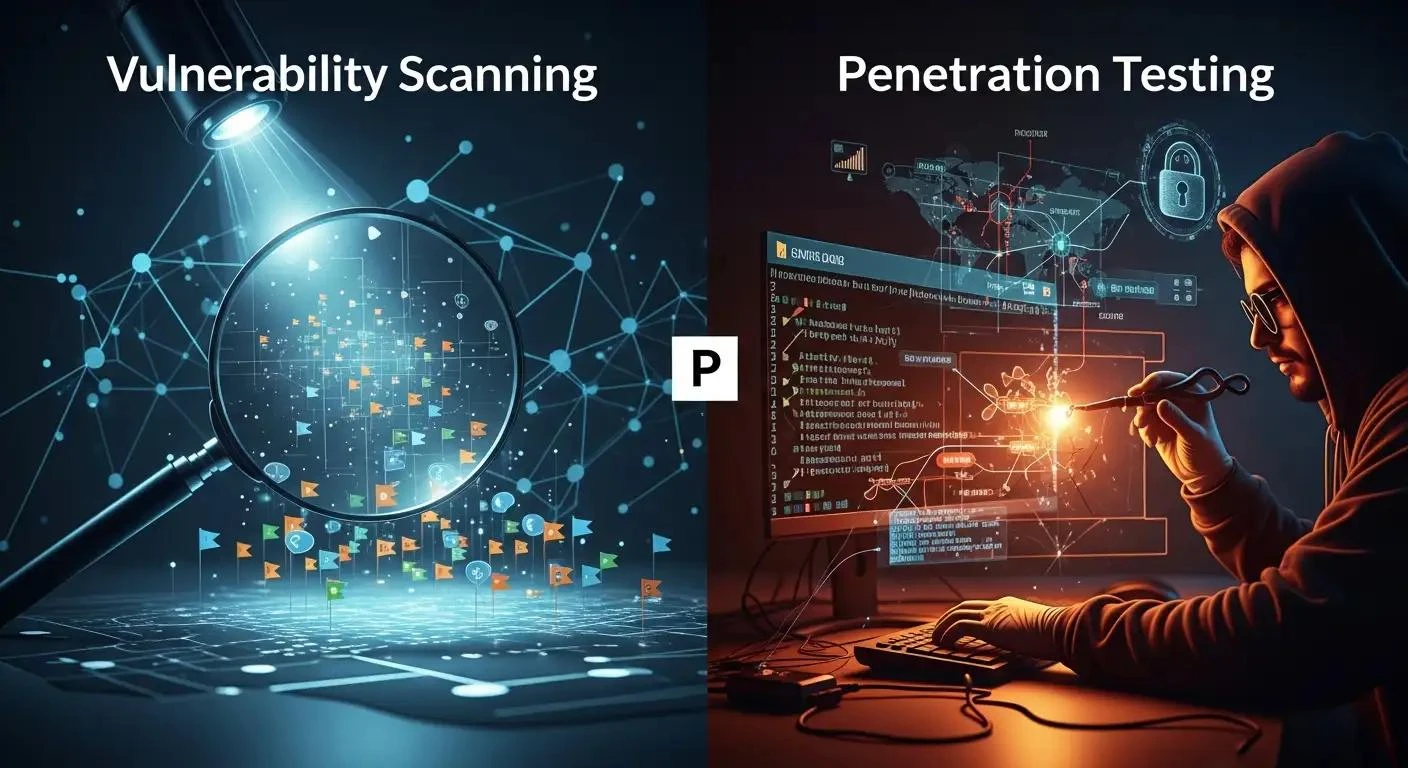
Automated vulnerability scanning helps businesses identify known security issues regularly, while manual penetration testing involves security professionals investigating systems, testing attack scenarios, and validating potential weaknesses.
So, which approach should your business choose?
The answer depends on your security requirements, infrastructure, budget, and how frequently your systems change. In many cases, the most effective strategy combines automated vulnerability scanning, manual penetration testing, and continuous security monitoring.
Let's explore the differences and understand where a solution like Sentinal fits into your cybersecurity strategy.
What Is Vulnerability Scanner Software?
Vulnerability scanner software is an automated security tool that examines websites, servers, applications, networks, or other digital assets to identify potential security weaknesses.
Instead of requiring a security professional to inspect every asset manually, the software performs automated checks against known vulnerabilities, outdated software, exposed services, insecure configurations, and other security risks.
Businesses use vulnerability scanning tools to identify problems before attackers discover and exploit them.
How Does Automated Vulnerability Scanning Work?
A typical vulnerability scanning process includes the following steps:
- Asset discovery: Identifies the websites, domains, servers, and other assets included in the scanning scope.
- Security checks: Examines accessible systems for known vulnerabilities and security misconfigurations.
- Risk identification: Identifies potential weaknesses and assigns severity levels where supported.
- Reporting: Generates findings that help security teams understand potential risks.
- Remediation: Developers or IT administrators investigate findings and apply appropriate fixes.
- Rescanning: Runs additional checks to verify whether identified issues have been resolved.
Common Vulnerabilities Detected by Scanner Software
Depending on its capabilities, a vulnerability scanner may identify:
- Outdated software and vulnerable dependencies.
- Missing security patches.
- Exposed ports and services.
- Insecure server configurations.
- SSL/TLS certificate issues.
- Common web application vulnerabilities.
- Weak security headers.
- Known plugin and CMS vulnerabilities.
- Publicly exposed sensitive files.
- Certain authentication and access-control weaknesses.
However, automated scanners have limitations. They may miss complex business logic flaws, context-dependent access-control problems, and vulnerabilities that require human reasoning to identify.
What Is Manual Penetration Testing?
Manual penetration testing, commonly called a manual pen test, is a security assessment performed by qualified cybersecurity professionals.
Instead of relying entirely on automated scanning, penetration testers investigate an organization's systems and simulate realistic attack techniques within an agreed testing scope.
The objective is not simply to identify potential vulnerabilities. It is to determine whether weaknesses can actually be exploited and what impact an attacker could have.
How Does Manual Penetration Testing Work?
A typical penetration testing engagement involves:
- Planning and scoping: Defining the systems, applications, and testing boundaries.
- Reconnaissance: Collecting information about the target environment.
- Vulnerability identification: Investigating potential security weaknesses.
- Exploitation: Safely testing whether identified weaknesses can be exploited within the authorized scope.
- Impact assessment: Understanding what an attacker could potentially access or compromise.
- Reporting: Documenting findings, evidence, severity, and remediation recommendations.
- Retesting: Verifying whether the organization has successfully fixed the reported issues.
Manual testing is particularly valuable for identifying complex vulnerabilities that automated tools may overlook.
For example, a scanner might identify an authentication-related weakness, but an experienced penetration tester can investigate whether different user roles can access information they should not be able to see.
For a deeper understanding of professional testing methodologies, explore the OWASP Web Security Testing Guide.
Vulnerability Scanner Software vs Manual Pen Test: Key Differences
Although both approaches help identify security weaknesses, their capabilities, testing methods, and practical applications are different.
Here is a detailed comparison.
| Comparison Factor | Vulnerability Scanner Software | Manual Penetration Testing |
|---|---|---|
| Testing method | Automated security checks | Human-led investigation and testing |
| Speed | Generally fast | Requires more time |
| Frequency | Can run continuously or on a schedule, depending on the tool | Usually performed periodically or on demand |
| Human involvement | Lower during automated checks | Requires skilled security professionals |
| Known vulnerabilities | Effective at identifying supported known issues | Can identify known issues and investigate further |
| Business logic flaws | Limited detection | Better suited to investigating complex logic |
| Exploitation testing | Depends on scanner capabilities | Can validate exploitability |
| Reporting | Automated findings and reports | Detailed findings with context and evidence |
| Cost structure | Often subscription-based or tool-based | Usually priced per engagement or project |
| Best suited for | Ongoing vulnerability identification | In-depth security assessments |
| Main limitation | May miss complex or context-dependent weaknesses | Not designed to provide continuous automated coverage |
Important: A vulnerability scanner does not automatically provide continuous monitoring. Its scanning frequency depends on the product and configuration. Similarly, penetration testing does not guarantee that every vulnerability has been discovered.
The strongest approach combines both methods.
Automated Vulnerability Scanning vs Manual Testing: Pros and Cons
Understanding the advantages and limitations of each approach can help you make a better security investment.
Benefits of Vulnerability Scanner Software
1. Faster Security Checks
Automated tools can examine multiple assets without requiring a security professional to manually inspect every system.
2. Regular Vulnerability Identification
Businesses can schedule scans or use monitoring solutions to identify certain security changes and emerging issues more frequently.
3. Better Visibility Across Digital Assets
A suitable vulnerability management solution helps organizations maintain visibility into their websites, domains, servers, and other exposed assets.
4. Cost-Effective for Routine Checks
Automated scanning can reduce the amount of repetitive manual work required for routine vulnerability identification.
5. Easier Tracking of Security Findings
Organizations can use reports and historical findings to monitor identified weaknesses and remediation progress.
Limitations of Vulnerability Scanner Software
Despite its advantages, automated scanning is not a complete cybersecurity strategy.
- It may produce false positives that require manual verification.
- It can miss complex business logic vulnerabilities.
- It may not understand the business context of an application.
- It cannot always determine the real-world impact of a weakness.
- Its coverage depends on the assets and technologies it supports.
- It cannot replace human-led security assessments.
Benefits of Manual Penetration Testing
Manual penetration testing provides deeper security insights.
- Identifies complex application weaknesses.
- Investigates authentication and authorization issues.
- Tests realistic attack scenarios.
- Helps validate whether vulnerabilities are exploitable.
- Provides context about potential business impact.
- Offers expert recommendations for remediation.
Limitations of Manual Penetration Testing
Manual testing also has practical limitations.
- It requires qualified cybersecurity professionals.
- It can be expensive for smaller organizations.
- It takes time to plan, conduct, and document.
- It provides a point-in-time assessment rather than continuous coverage.
- New vulnerabilities may emerge after the assessment is completed.
This is why businesses should not rely on a single penetration test as their only security measure.
When Should You Use Vulnerability Scanner Software?
Automated vulnerability scanning is especially useful when businesses need regular visibility into their digital security.
Consider using vulnerability scanner software if:
- You manage multiple websites or domains.
- Your business regularly deploys software updates.
- You operate a SaaS platform or online store.
- You want to identify outdated software and exposed services.
- Your IT team needs regular security reports.
- You want to reduce the time spent on repetitive security checks.
- You need to monitor your digital assets between penetration tests.
For small and medium-sized businesses, automated security monitoring can provide an accessible starting point for improving security visibility without maintaining a full-time security operations team.
When Do You Need Manual Penetration Testing?
Manual penetration testing becomes especially important when your organization needs deeper security validation.
You should consider a professional penetration test when:
- Your business handles sensitive customer information.
- You operate financial applications or payment systems.
- You are preparing for a security audit or compliance assessment.
- Your application contains complex authentication and authorization workflows.
- You have experienced a security incident.
- You are launching a major application or infrastructure upgrade.
- You need independent validation of your security controls.
Manual penetration testing is also useful after significant infrastructure or application changes.
For web application assessments, the OWASP Web Security Testing Guide provides practical testing methodologies covering authentication, authorization, configuration, input validation, and other security areas.
Why Businesses Need Both Vulnerability Scanning and Penetration Testing
One of the biggest mistakes businesses make is treating vulnerability scanning and penetration testing as competing solutions.
They are complementary security practices.
Automated scanning helps identify potential weaknesses across digital assets, while manual penetration testing investigates deeper security issues and validates their potential impact.
Consider this example:
A business operates an e-commerce website with customer accounts and payment functionality.
An automated vulnerability scanner may identify outdated software, exposed services, or insecure configurations.
However, a penetration tester may discover that a logged-in customer can access another customer's account by manipulating an account identifier.
Both findings matter, but they require different testing approaches.
A Practical Security Strategy
| Security Activity | Recommended Approach | Purpose |
|---|---|---|
| Routine vulnerability checks | Automated scanning | Identify known weaknesses |
| Website and domain monitoring | Continuous monitoring solution | Maintain security visibility |
| SSL certificate checks | Automated monitoring | Identify certificate problems |
| Exposed service checks | Automated scanning | Detect unexpected exposure |
| Business logic testing | Manual assessment | Investigate application-specific weaknesses |
| Authentication testing | Manual penetration testing | Validate access controls |
| Security remediation | IT and development teams | Fix identified weaknesses |
| Post-fix validation | Rescanning and retesting | Confirm that issues are resolved |
The exact frequency should depend on your organization's risk profile, infrastructure, and regulatory requirements.
The NIST Technical Guide to Information Security Testing and Assessment (SP 800-115) discusses different security assessment techniques and explains why organizations should combine appropriate methods rather than rely on a single testing approach.
Why Continuous Security Monitoring Matters
Traditional security assessments provide valuable information, but businesses need visibility between scheduled assessments as well.
Your digital environment can change every day.
A software update may introduce a configuration problem. A new subdomain may become publicly accessible. An SSL certificate may approach expiration. An employee account may become compromised, or a third-party application may introduce additional security risks.
Waiting until the next scheduled penetration test to identify every new issue can leave businesses with unnecessary exposure.
This is where continuous security monitoring becomes important.
What Should a Business Monitor?
A practical security monitoring strategy should consider:
| Security Area | What to Monitor | Why It Matters |
|---|---|---|
| Website security | Known vulnerabilities and security changes | Helps identify website weaknesses |
| Domain security | Domain configuration and exposed assets | Improves visibility into internet-facing infrastructure |
| SSL certificates | Certificate validity and expiration | Helps prevent certificate-related problems |
| Email security | Relevant email authentication and security configuration | Reduces email-related security risks |
| Exposed services | Publicly accessible ports and services | Helps identify unnecessary exposure |
| Leaked credentials | Exposed business credentials where monitoring is supported | Helps identify potential account compromise |
| Suspicious logins | Unusual authentication activity where integrations support it | Helps identify potentially compromised accounts |
| Third-party applications | Connected applications and relevant security risks | Improves visibility into external dependencies |
Not every monitoring platform covers all these areas. Businesses should evaluate the actual capabilities, integrations, and detection coverage of the solution they choose.
How Sentinal Helps Businesses With 24/7 Security Monitoring
Businesses do not always have the resources to maintain a dedicated cybersecurity team that continuously monitors every digital asset.
Sentinal – Your AI Security Employee is designed to help businesses improve their security visibility through 24/7 monitoring of supported digital assets and security areas.
Instead of treating cybersecurity as an occasional activity, Sentinal focuses on helping businesses maintain ongoing awareness of potential security risks.
Key Security Monitoring Capabilities
Sentinal is designed around several important security monitoring areas:
1. Website Security Monitoring
Monitor supported website security indicators and identify potential vulnerabilities that may require investigation.
2. Domain Monitoring
Maintain visibility into your domains and related digital assets to help identify potential security exposure.
3. SSL Certificate Monitoring
Monitor SSL certificate status and expiration-related issues to help prevent unexpected certificate problems.
4. Email Security Monitoring
Monitor supported email security configurations and identify issues that could affect your organization's email protection.
5. Leaked Credential Monitoring
Help identify exposed business credentials where supported monitoring sources provide relevant information.
6. Suspicious Login Monitoring
Improve visibility into potentially unusual login activity through supported monitoring capabilities and integrations.
7. Exposed Services Monitoring
Identify potentially exposed services that may increase your organization's attack surface.
8. Vulnerability Monitoring
Help businesses maintain awareness of potential vulnerabilities and security issues affecting their monitored assets.
9. Third-Party Application Monitoring
Improve visibility into connected third-party applications and potential security concerns.
Why Choose Continuous Monitoring With Sentinal?
Sentinal is designed for organizations that want better security visibility without relying entirely on occasional manual assessments.
Its approach focuses on:
- 24/7 security monitoring.
- Centralized visibility into supported security areas.
- Earlier awareness of potential security issues.
- Monitoring of multiple digital assets.
- Support for businesses without a dedicated full-time security team.
Sentinal does not replace professional penetration testing. Instead, it complements broader security practices by helping organizations maintain ongoing visibility between professional assessments.
Explore Sentinal – Your AI Security Employee to learn more about its security monitoring approach.
How to Choose the Right Cybersecurity Solution for Your Business
Choosing between vulnerability scanner software and manual penetration testing depends on your business requirements.
Here is a simple decision guide.
| Business Requirement | Recommended Solution |
|---|---|
| Regular checks for known vulnerabilities | Vulnerability scanner software |
| Continuous visibility into supported security risks | Security monitoring platform |
| Identifying complex application weaknesses | Manual penetration testing |
| Testing authentication and authorization logic | Manual penetration testing |
| Monitoring multiple websites and domains | Automated security monitoring |
| Preparing for an in-depth security assessment | Professional penetration testing |
| Improving security visibility between assessments | Continuous security monitoring |
| Building a comprehensive security strategy | Combination of all three |
What Should Small Businesses Choose?
For small and medium-sized businesses, a practical starting point is to establish automated vulnerability checks and continuous monitoring.
This provides ongoing visibility into potential security problems without requiring a large in-house cybersecurity team.
As the business grows, its security strategy should also include professional penetration testing, particularly for applications handling sensitive data or critical business operations.
The important thing is to understand that automated tools and human expertise solve different problems.
Frequently Asked Questions (FAQs)
1. What Is the Difference Between Vulnerability Scanning and Penetration Testing?
Vulnerability scanning uses automated tools to identify potential security weaknesses, while penetration testing involves security professionals investigating and attempting to validate vulnerabilities through authorized testing. Scanning provides broader routine checks, whereas penetration testing offers deeper investigation.
2. Is Vulnerability Scanner Software Better Than Manual Penetration Testing?
Neither approach is universally better. Vulnerability scanner software is useful for regular automated checks, while manual penetration testing is better suited to investigating complex vulnerabilities and validating their real-world impact. Businesses benefit from combining both approaches.
3. How Often Should a Business Run Vulnerability Scans?
The frequency depends on the organization's risk profile, infrastructure, and security requirements. Businesses may run scans on a regular schedule and after significant infrastructure changes. Critical internet-facing assets may benefit from more frequent monitoring.
4. Can Automated Vulnerability Scanners Replace Penetration Testers?
No. Automated scanners can identify many known security weaknesses, but they may miss business logic flaws, complex authorization problems, and context-dependent vulnerabilities. Professional penetration testers provide additional human investigation and validation.
5. What Is Continuous Security Monitoring?
Continuous security monitoring is the ongoing observation of systems, applications, networks, or other digital assets to identify potential security risks and changes. Depending on the platform, it can include vulnerability checks, domain monitoring, SSL monitoring, exposed service detection, and suspicious activity monitoring.
6. Is Continuous Security Monitoring Useful for Small Businesses?
Yes. Small businesses may not have dedicated security teams, so automated monitoring can help them maintain better visibility into their digital security. It can complement periodic professional security assessments.
7. What Is the Best Way to Protect a Business Website?
A strong website security strategy combines regular software updates, secure configurations, access controls, automated vulnerability scanning, continuous monitoring, backups, and periodic professional penetration testing. No single tool can guarantee complete website security.
Final Verdict: Which Do You Need?
If your primary requirement is identifying known security weaknesses regularly, vulnerability scanner software is a practical choice.
If you need to investigate complex vulnerabilities, validate attack scenarios, and understand the real-world impact of security weaknesses, manual penetration testing is essential.
However, businesses should not think of these approaches as alternatives.
Automated scanning identifies potential problems. Manual penetration testing investigates and validates deeper weaknesses. Continuous monitoring helps businesses maintain visibility between assessments.
For organizations looking to strengthen their security posture without building a full-time security operations team, Sentinal offers an approach focused on 24/7 security monitoring.
Visit aicybersecuritytool.com to explore Sentinal and improve your organization's ongoing security visibility.
Sentinal – Your AI Security Employee.