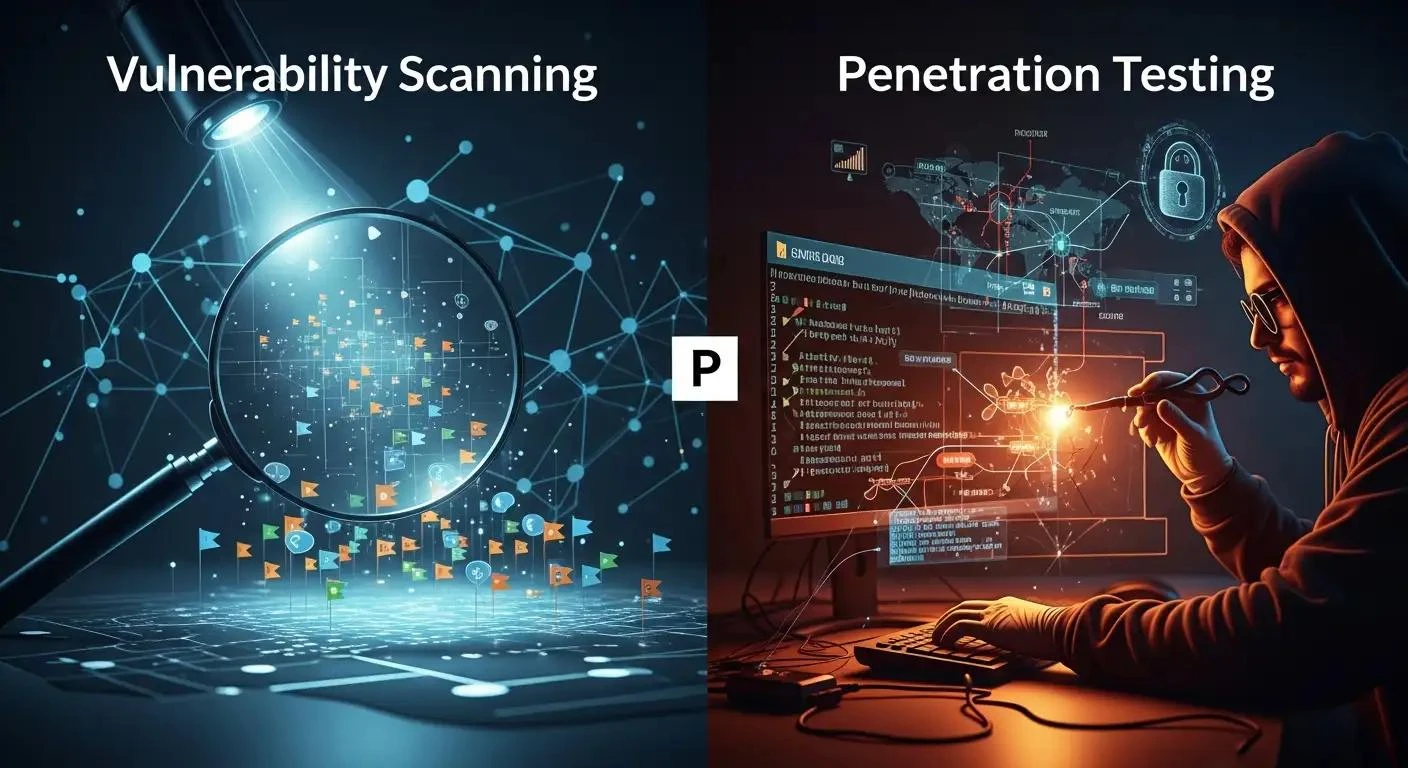
WordPress powers millions of websites, making it one of the most popular content management systems in the world. However, its popularity also makes it an attractive target for cybercriminals. Outdated plugins, vulnerable themes, weak passwords, and poorly configured websites can create security gaps that attackers may exploit.
A single vulnerable plugin can expose your website to malware, unauthorized access, data theft, and even complete website takeover.
This is where a WordPress vulnerability scanner becomes essential. It helps website owners identify known security weaknesses, detect outdated software, and understand which components may put their websites at risk.
But scanning your website once is not always enough. New vulnerabilities are discovered regularly, and a plugin that appears secure today may become vulnerable after a new security disclosure.
In this guide, you'll learn how WordPress vulnerability scanners work, how to identify weak plugins, which security checks matter most, and why continuous security monitoring with Sentinal can help businesses maintain better visibility into their website security.
What Is a WordPress Vulnerability Scanner?
A WordPress vulnerability scanner is a security tool that examines a WordPress website for known security weaknesses, outdated software, vulnerable plugins, insecure themes, and other potential risks.
It helps website administrators identify security issues before attackers can take advantage of them.
Depending on the scanner, it may check:
- Outdated WordPress core versions.
- Plugins with publicly disclosed vulnerabilities.
- Vulnerable WordPress themes.
- Known malware and suspicious files.
- Exposed configuration files.
- Weak security configurations.
- Insecure website components.
- SSL certificate and HTTPS configuration.
Some scanners operate as WordPress plugins, while others perform external security assessments without requiring installation on the website.
The main objective is simple: discover potential security problems, understand their severity, and take corrective action.
Why Are Vulnerable WordPress Plugins a Serious Security Risk?
WordPress plugins extend website functionality. They provide contact forms, payment processing, SEO features, caching, security, and countless other capabilities.
However, every additional plugin introduces code that needs to be maintained and secured.
When a plugin contains a security vulnerability, attackers may use it as an entry point into the website.
Here are some common risks.
1. Unauthorized Website Access
Some plugin vulnerabilities allow attackers to bypass security controls or access restricted website functionality.
Depending on the vulnerability, attackers may gain access to administrative features or sensitive information.
2. SQL Injection Attacks
Poorly secured plugins may contain SQL injection vulnerabilities.
These weaknesses can allow attackers to manipulate database queries and potentially access, modify, or delete sensitive information.
3. Cross-Site Scripting (XSS)
Cross-Site Scripting vulnerabilities can allow malicious scripts to execute in visitors' browsers.
This may lead to session theft, malicious redirects, or other browser-based attacks.
4. Remote Code Execution
Remote Code Execution (RCE) is one of the more serious vulnerability types.
Under certain conditions, attackers may execute unauthorized code on the affected server, potentially gaining significant control over the website.
5. Malware Injection and SEO Spam
Compromised WordPress websites may be used to distribute malware, redirect visitors, inject spam pages, or manipulate search engine results.
This can damage your website's reputation, organic traffic, and customer trust.
How Does a WordPress Vulnerability Scanner Work?
A WordPress vulnerability scanner generally follows several steps to identify potential security weaknesses.
Step 1: Identify WordPress Components
The scanner attempts to identify the WordPress version, installed plugins, themes, and other publicly detectable components.
This information helps establish which software versions may require further investigation.
Step 2: Check Known Vulnerability Databases
The scanner compares identified software versions against vulnerability intelligence sources.
These databases contain information about publicly disclosed vulnerabilities, affected versions, severity levels, and available fixes.
For example:
- WPScan Vulnerability Database
- Wordfence Intelligence
- Other recognized security research databases
Step 3: Identify Outdated Software
The scanner checks whether WordPress core, plugins, or themes are running outdated versions.
An outdated component is not automatically vulnerable, but it deserves investigation because it may contain security weaknesses that have already been fixed in newer releases.
Step 4: Evaluate Security Findings
Security findings are reviewed based on factors such as:
- Vulnerability severity.
- Affected software version.
- Availability of a security patch.
- Potential attack requirements.
- Possible impact on the website.
Step 5: Generate a Security Report
The scanner presents identified issues and recommendations so administrators can prioritize remediation.
A good vulnerability report should help answer three questions:
- What is vulnerable?
- How serious is the issue?
- What should be done to fix it?
How to Find Weak WordPress Plugins Before Hackers Do
You don't need to wait until your website is compromised to investigate its security.
Follow these practical steps to reduce the risk of plugin-related vulnerabilities.
1. Audit Your Installed Plugins
Open your WordPress dashboard and navigate to Plugins → Installed Plugins.
Review every installed plugin and identify:
- Plugins that haven't been updated recently.
- Plugins you no longer use.
- Plugins from untrusted developers.
- Plugins with known security vulnerabilities.
- Plugins that are no longer actively maintained.
Remove unnecessary plugins rather than simply leaving them inactive.
2. Check Plugin Vulnerability Databases
Use established vulnerability intelligence sources to investigate plugins.
For example, the WPScan Vulnerability Database provides information about known vulnerabilities affecting WordPress core, plugins, and themes.
You can also search the Wordfence Intelligence Vulnerability Database to investigate affected software and reported security issues.
3. Update Plugins and Themes
Install security updates as soon as they are available and appropriate for your website.
Before updating important production websites:
- Create a complete backup.
- Check plugin compatibility.
- Test important website functionality.
- Monitor the website after updating.
Updates should be part of your regular website maintenance process.
4. Remove Abandoned Plugins
If a plugin is no longer maintained or has been permanently closed due to security concerns, consider replacing it with a maintained alternative.
Avoid relying on plugins that have no clear update history or trustworthy development support.
5. Monitor Suspicious Login Activity
Plugin vulnerabilities are not the only way attackers compromise websites.
Stolen credentials and weak passwords can also provide unauthorized access.
Monitor suspicious login attempts, use strong passwords, enable two-factor authentication, and limit administrator access.
6. Review Your Website Security Regularly
A one-time security scan provides a snapshot of your website at a particular moment.
Regular security assessments and continuous monitoring help identify emerging risks and changes in your security posture.
WordPress Vulnerability Scanner vs. Traditional Security Monitoring
Not every security tool performs the same function. Understanding the differences helps businesses choose the right security approach.
| Feature | Basic Plugin Scanner | Continuous Security Monitoring |
|---|---|---|
| Known plugin vulnerabilities | Yes, if supported | Depends on monitoring coverage |
| Outdated software detection | Common | Depends on monitoring coverage |
| Scheduled security checks | Depends on tool | Designed for ongoing monitoring |
| Suspicious login monitoring | Limited or separate | May be included |
| Domain and SSL monitoring | Limited | May be included |
| Exposed services monitoring | Usually limited | May be included |
| Leaked credential monitoring | Usually separate | May be included |
| Security alerts | Depends on tool | Ongoing alerts, depending on configuration |
A dedicated WordPress scanner is useful for identifying known plugin and theme vulnerabilities. A broader monitoring platform helps businesses maintain visibility into additional security risks across their digital environment.
These approaches can complement each other rather than replace one another.
What Features Should You Look for in a WordPress Vulnerability Scanner?
Choosing a security scanner requires more than looking at its ability to detect vulnerabilities.
Consider the following capabilities before selecting a solution.
| Feature | Why It Matters | Priority |
|---|---|---|
| Plugin vulnerability detection | Identifies known weaknesses in installed plugins | High |
| Theme vulnerability detection | Helps identify vulnerable themes | High |
| WordPress core checks | Identifies potentially outdated core software | High |
| Vulnerability severity ratings | Helps prioritize critical findings | High |
| Automated scanning | Reduces reliance on manual checks | High |
| Security notifications | Helps administrators respond quickly | High |
| SSL monitoring | Identifies certificate and HTTPS-related issues | High |
| Suspicious login monitoring | Helps identify unusual access activity | High |
| Exposed service detection | Highlights potentially exposed infrastructure | Medium |
| Security reporting | Helps track and communicate security risks | High |
The most useful security setup combines vulnerability detection, timely remediation, and continuous visibility.
Why One-Time WordPress Security Scans Are Not Enough
Imagine scanning your website today and finding no known critical vulnerabilities.
You might assume your website is completely secure.
However, a new vulnerability could be disclosed tomorrow. A previously safe plugin could receive a problematic update, or an employee's credentials could become exposed.
Your security position can change even when you haven't made any changes to your website.
This is why continuous monitoring matters.
A reliable security strategy should include:
- Regular vulnerability assessments.
- Monitoring of important website assets.
- SSL certificate monitoring.
- Suspicious login detection.
- Exposed service monitoring.
- Leaked credential monitoring.
- Timely security alerts.
- Regular software updates.
The objective is not simply to scan and forget. It is to maintain awareness of security risks as they evolve.
How Sentinal Helps Businesses Maintain 24/7 Security Monitoring
Finding vulnerabilities is important, but businesses also need visibility into their wider security environment.
Sentinal – Your AI Security Employee is designed to help businesses monitor their digital security posture around the clock.
Instead of treating security as an occasional maintenance activity, Sentinal provides a continuous monitoring approach to help businesses stay aware of potential security risks.
Its security monitoring capabilities cover important areas such as:
Website and Domain Monitoring
Maintain visibility into your website and domain security status to help identify potential issues that require attention.
SSL Certificate Monitoring
Keep track of SSL-related security conditions and identify certificate issues that could affect website trust and secure connections.
Leaked Credential Monitoring
Monitor for exposed credentials that may create risks for business accounts and digital assets.
Suspicious Login Monitoring
Identify potentially suspicious login activity and security-related access concerns.
Exposed Services Monitoring
Maintain awareness of exposed services that may increase your organization's attack surface.
Vulnerability Monitoring
Gain visibility into potential vulnerabilities affecting your monitored digital environment and prioritize security concerns.
Employee and Third-Party Application Security
Understand security risks associated with employee technology usage and connected third-party applications.
These capabilities help businesses build a more proactive approach to cybersecurity.
Important: WordPress-specific plugin inventory and version-level vulnerability scanning should be verified against the enabled monitoring scope. General website monitoring should not be confused with a dedicated WordPress plugin scanner.
Want to improve your organization's security visibility?
Explore Sentinal's 24/7 Security Monitoring Platform and discover how continuous security monitoring can help your business stay informed about potential threats.
Best Practices for Protecting Your WordPress Website
A vulnerability scanner is an important security layer, but it should be combined with other protective measures.
Here is a practical WordPress security checklist.
| Security Practice | Recommended Action |
|---|---|
| Plugin management | Remove unnecessary and abandoned plugins |
| Software updates | Keep WordPress, plugins, and themes updated |
| Password security | Use strong, unique passwords |
| Administrator access | Limit admin accounts and permissions |
| Two-factor authentication | Enable additional login protection |
| Website backups | Maintain regular, tested backups |
| SSL certificates | Monitor certificate validity |
| Malware detection | Perform regular security checks |
| Vulnerability scanning | Check for known software vulnerabilities |
| Continuous monitoring | Monitor relevant security events and assets |
| Security logs | Review unusual activities and access attempts |
Implementing these practices can significantly improve your website's security posture and reduce avoidable security risks.
Frequently Asked Questions (FAQs)
1. What is the best WordPress vulnerability scanner?
The best scanner depends on your security requirements. WPScan and Wordfence provide vulnerability intelligence and WordPress-focused security capabilities. Businesses should evaluate plugin detection, vulnerability database coverage, automated checks, reporting, and alerting before selecting a solution.
2. How do I check if my WordPress plugins are vulnerable?
Start by identifying installed plugin names and versions. Compare them against recognized vulnerability databases such as WPScan and Wordfence Intelligence. Review affected versions, security advisories, and available patches. Update or replace vulnerable plugins as appropriate.
3. Can outdated WordPress plugins cause website hacking?
Yes. Outdated plugins may contain publicly known security vulnerabilities that attackers can exploit. However, not every outdated plugin is vulnerable. Check the specific version against reliable security advisories and update it when a security fix is available.
4. How often should I scan my WordPress website?
You should perform regular vulnerability assessments and review security alerts whenever new vulnerabilities are disclosed. For business websites, combining scheduled scans with continuous monitoring provides better security visibility than relying on occasional manual checks.
5. Is a WordPress security plugin enough to protect my website?
A security plugin can provide valuable protection, but no single plugin guarantees complete security. You should also maintain backups, update software, secure administrator accounts, monitor suspicious activity, and assess vulnerabilities regularly.
6. What is the difference between vulnerability scanning and continuous security monitoring?
Vulnerability scanning identifies known weaknesses in software and systems. Continuous security monitoring provides ongoing visibility into security conditions and potential threats. Both serve different purposes and can work together as part of a broader cybersecurity strategy.
7. Can a WordPress vulnerability scanner detect every security threat?
No. Scanners have limitations. They may miss unknown vulnerabilities, complex attack paths, configuration weaknesses, or threats outside their detection capabilities. Multiple security layers and regular assessments are necessary.
Final Thoughts: Find Security Weaknesses Before Attackers Do
WordPress security requires ongoing attention. Outdated plugins, vulnerable themes, weak credentials, and insecure configurations can create opportunities for cybercriminals.
A reliable WordPress vulnerability scanner helps identify known weaknesses and gives website owners the information they need to take corrective action.
However, security should not stop after a single scan.
Businesses need a proactive approach that combines vulnerability assessments, regular updates, security best practices, and continuous monitoring.
With Sentinal – Your AI Security Employee, businesses can take a more proactive approach to monitoring their digital security environment and maintaining visibility into potential risks around the clock.
Don't wait for a security incident to discover your weaknesses. Start monitoring your digital security with Sentinal.