Is your website protected against today's most common security risks? Even a professionally developed website can contain vulnerabilities that expose customer information, compromise user accounts, or allow attackers to gain unauthorized access.
The OWASP Top 10 is a widely recognized awareness resource that helps developers, website owners, and security professionals understand critical web application security risks. The latest released edition is OWASP Top 10 2025, which introduces important changes to how application security risks are categorized.
If you are searching for the owasp top 10 2026, this guide explains the latest official 2025 list, what changed from the previous edition, and how you can begin checking your website for common security weaknesses.
You will also learn how continuous security monitoring can help you identify suspicious changes and security issues before they develop into more serious incidents.
For organizations looking to improve their security posture, Sentinal's 24/7 security monitoring approach can be part of a broader strategy for maintaining website visibility and reducing security risks.
What Is the OWASP Top 10?
The Open Worldwide Application Security Project (OWASP) is a nonprofit foundation that publishes resources, standards, and guidance for improving software and application security.
The OWASP Top 10 identifies major categories of web application security risk. It helps development teams prioritize security improvements, educate employees, and establish better software security practices.
It is important to understand that the OWASP Top 10 is an awareness document, not a complete vulnerability scanner or a guarantee that a website is secure.
A website can have vulnerabilities outside these categories, and some risks require manual testing, code review, or specialized security assessments.
OWASP Top 10 2025: Complete List of Security Risks
The official OWASP Top 10:2025 contains the following categories.
| Rank | Security risk | What it means |
|---|---|---|
| A01:2025 | Broken Access Control | Users can access resources or perform actions beyond their permissions. |
| A02:2025 | Security Misconfiguration | Insecure settings, unnecessary services, or improperly configured security controls expose the application. |
| A03:2025 | Software Supply Chain Failures | Risks arise from compromised dependencies, development tools, build systems, or software distribution. |
| A04:2025 | Cryptographic Failures | Sensitive information is inadequately protected through encryption or related controls. |
| A05:2025 | Injection | Untrusted input changes the behavior of queries, commands, or interpreters. |
| A06:2025 | Insecure Design | Security weaknesses originate in application architecture, business logic, or design decisions. |
| A07:2025 | Authentication Failures | Weak or incorrectly implemented authentication allows account compromise. |
| A08:2025 | Software or Data Integrity Failures | Software or data is accepted without sufficient integrity verification. |
| A09:2025 | Security Logging and Alerting Failures | Important security events are not adequately recorded, monitored, or escalated. |
| A10:2025 | Mishandling of Exceptional Conditions | Errors, unusual conditions, or unexpected states are handled insecurely. |
Source: Official OWASP Top 10:2025.
What Changed in OWASP Top 10 2025?
The 2025 edition introduces two new categories and consolidates some existing risks. It also changes the ranking of several categories to reflect updated data and community feedback.
1. Software Supply Chain Failures is a new category
One of the most significant changes is A03:2025 — Software Supply Chain Failures.
Previously, the 2021 list included Vulnerable and Outdated Components. The 2025 edition expands the scope to cover broader supply chain risks, including software dependencies, development environments, build pipelines, and distribution infrastructure.
How to check your website:
- Inventory your frameworks, libraries, plugins, and third-party packages.
- Remove components that are no longer needed.
- Update vulnerable dependencies to supported versions.
- Review dependency sources and access permissions.
- Secure deployment pipelines and verify software integrity.
For WordPress websites, this includes regularly reviewing themes and plugins rather than assuming that an updated core installation makes the entire site secure.
2. Mishandling of Exceptional Conditions is new
A10:2025 focuses on the way applications behave when unexpected conditions occur.
For example, an application might reveal sensitive information in an error message, fail to validate a missing parameter, or allow an operation to continue when a security check fails.
How to check your website:
- Review error responses for exposed database details, file paths, or secrets.
- Test how the application handles missing or invalid input.
- Verify that failed authorization checks deny access.
- Ensure that errors do not expose sensitive internal information.
- Confirm that unexpected failures do not bypass security controls.
Developers should ensure that applications fail securely instead of granting access or continuing sensitive operations when validation fails.
3. Security Misconfiguration moves to second place
Security Misconfiguration moves from fifth place in 2021 to second place in 2025.
Common examples include unnecessary public services, insecure default settings, exposed administrative interfaces, excessive permissions, and missing security headers.
How to check your website:
- Review server and application configurations.
- Disable unnecessary services and debug modes.
- Restrict administrative access.
- Review HTTP security headers.
- Check for accidentally exposed files and configuration data.
- Verify that production systems use secure settings.
Configuration reviews should cover the application, hosting environment, databases, cloud services, and other relevant infrastructure.
4. SSRF is consolidated into Broken Access Control
Server-Side Request Forgery (SSRF) was a standalone category in OWASP Top 10 2021. In the 2025 edition, it is incorporated into A01:2025 — Broken Access Control.
SSRF can occur when an attacker manipulates a server into making requests to unintended destinations, potentially exposing internal services.
How to check your website:
- Review server-side features that fetch external URLs.
- Restrict requests to approved destinations where possible.
- Block access to sensitive internal network resources.
- Apply appropriate outbound network controls.
- Validate and normalize user-supplied URLs.
These checks often require code review and authorized security testing; a basic website scan may not identify every SSRF vulnerability.
5. Logging and alerting receive greater emphasis
A09:2025 is now called Security Logging and Alerting Failures. The updated name emphasizes that recording events is not enough if important activity never triggers an appropriate response.
A website may generate logs but still fail to detect suspicious login attempts, unexpected permission changes, or other security-relevant events.
How to check your website:
- Record important authentication and authorization events.
- Monitor unusual administrative activity.
- Protect logs against unauthorized modification.
- Configure alerts for meaningful security events.
- Test whether alerts reach the responsible person or team.
This is one reason continuous monitoring is valuable: security signals need to be reviewed and acted upon, not simply collected.
For the complete explanation of the 2025 changes, read the official OWASP introduction.
OWASP Top 10 2021 vs. 2025: Comparison Table
| Area | OWASP Top 10 2021 | OWASP Top 10 2025 |
|---|---|---|
| Access control | A01: Broken Access Control | Remains A01; SSRF is incorporated into this category. |
| Configuration | A05: Security Misconfiguration | Moves to A02. |
| Components and dependencies | A06: Vulnerable and Outdated Components | Expands into A03: Software Supply Chain Failures. |
| Cryptography | A02: Cryptographic Failures | Moves to A04. |
| Injection | A03: Injection | Moves to A05. |
| Design | A04: Insecure Design | Moves to A06. |
| Authentication | A07: Identification and Authentication Failures | Renamed A07: Authentication Failures. |
| Integrity | A08: Software and Data Integrity Failures | Remains A08 with a closely related name. |
| Logging | A09: Security Logging and Monitoring Failures | A09 emphasizes logging and alerting. |
| Exceptional conditions | No equivalent standalone category | New A10 category. |
The main takeaway is that organizations should not simply reuse a 2021 checklist without reviewing the updated categories. The 2025 edition gives greater attention to software supply chains, secure configuration, and handling exceptional conditions.
How to Check Your Website Against OWASP Top 10 2025
You do not need to begin with an expensive enterprise security platform. Start with a structured assessment and prioritize the issues that could have the greatest impact on your website.
Step 1: Identify your website's attack surface
Create an inventory of the assets that need protection, including:
- Public website pages and subdomains.
- Login and administrative portals.
- APIs and other externally accessible endpoints.
- Hosting environments and exposed services.
- Third-party integrations and software dependencies.
An accurate inventory helps you identify what needs to be assessed and monitored.
Step 2: Check your security configuration
Review server settings, application permissions, HTTPS configuration, administrative access, and unnecessary services.
Check whether sensitive files, debug information, backups, or configuration data are publicly accessible.
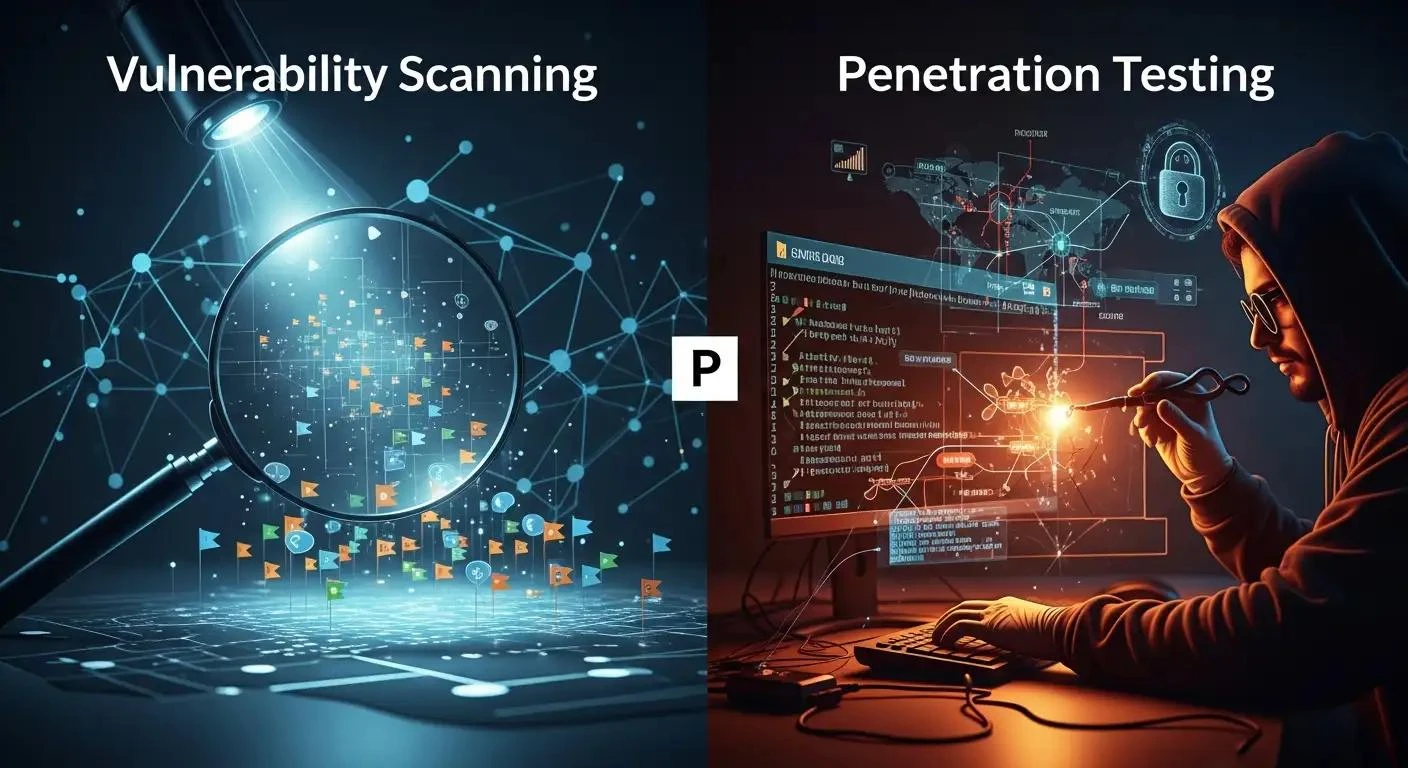
Automated checks can identify some common configuration problems, but they cannot reliably assess every security decision made within an application.
Step 3: Review authentication and access control
Verify that users can access only the resources and functions permitted by their roles.
Test password policies, multifactor authentication where appropriate, session handling, account recovery, and administrative permissions.
Use test accounts and an authorized testing environment. Do not attempt to access other users' private information during testing.
Step 4: Review software dependencies
Identify outdated frameworks, plugins, libraries, and packages. Use trusted vulnerability databases and dependency-scanning tools to identify known vulnerabilities.
Prioritize updates based on exploitability, exposure, and potential impact rather than installing updates without testing compatibility.
Step 5: Test input handling and application logic
Review forms, search features, API parameters, file uploads, and database interactions for unsafe input handling.
Use secure coding practices such as parameterized queries, context-appropriate output encoding, and server-side validation.
Injection testing and business-logic assessments may require a qualified security professional.
Step 6: Review logs and configure security alerts
Ensure that relevant security events are recorded and that suspicious activity can be investigated.
Set up alerts for events such as unexpected administrative changes, repeated failed logins, and unusual access patterns where your technology stack supports them.
Do not collect unnecessary sensitive information in logs, and restrict access to log data.
Step 7: Establish continuous monitoring
A one-time security assessment provides a snapshot of your website at a particular point in time. New vulnerabilities, configuration changes, compromised credentials, and suspicious activity can emerge later.
A continuous monitoring process helps you identify relevant changes and respond more quickly.
This is where Sentinal, your AI Security Employee, fits into a broader website security strategy: use ongoing monitoring to maintain visibility into your digital assets and security signals, alongside vulnerability assessments and appropriate remediation.
Explore Sentinal at aicybersecuritytool.com to learn more about the 24/7 monitoring approach.
Manual Website Security Checks vs. Automated Scanning vs. 24/7 Monitoring
These approaches solve related but different problems. They work best when used together.
| Capability | Manual security assessment | Automated vulnerability scanning | Continuous security monitoring |
|---|---|---|---|
| Primary purpose | Investigate application logic and security controls | Detect supported vulnerability patterns | Observe security signals and changes over time |
| Typical schedule | Periodic or project-based | Scheduled or on demand | Ongoing, depending on the monitoring capability |
| Business logic testing | Can be effective with skilled testers | Usually limited | Not a substitute for manual testing |
| Known vulnerability checks | Depends on the assessment | Often a core capability | Depends on the monitored signals and integrations |
| Suspicious activity detection | Limited to the assessment period and available logs | Usually limited unless specifically supported | Can help identify supported suspicious events |
| Best use | Deep security validation | Repeatable technical checks | Maintaining visibility between assessments |
Important: Not every monitoring product includes every capability shown above. Confirm the actual features of any tool before relying on it for vulnerability detection, alerting, or incident response.
For a more comprehensive application security testing standard, consult the OWASP Application Security Verification Standard (ASVS).
How Sentinal Can Support Your Website Security Strategy
Sentinal is positioned as a 24/7 monitoring tool and AI Security Employee. For website owners, the value of continuous monitoring is maintaining awareness of security-relevant activity instead of relying entirely on occasional checks.
A practical security workflow can include the following:
- Asset visibility: Maintain an inventory of domains, websites, and other assets that need protection.
- Security awareness: Review relevant security findings and changes affecting your digital environment.
- Continuous oversight: Monitor supported security signals over time.
- Prioritized response: Investigate important findings and assign remediation tasks.
- Ongoing improvement: Reassess security controls after updates, infrastructure changes, and incidents.
The exact monitoring and detection capabilities depend on Sentinal's implemented features and integrations. Monitoring should complement, not replace, secure development practices, vulnerability scanning, penetration testing, and incident response planning.
If you want to improve how your organization manages website security, visit AI Cybersecurity Tool to explore Sentinal.
OWASP Top 10 2026: What Should Website Owners Know?
The keyword “owasp top 10 2026” is relevant to people searching for current application security guidance. However, it should not be confused with an officially released 2026 web application risk list.
As of October 2026, OWASP identifies the 2025 edition as the latest released version of its main web application Top 10 project.
Website owners should therefore use the official 2025 categories as their primary reference, while continuing to monitor updates from OWASP and other trusted security sources.
For teams building AI-powered applications, note that OWASP also maintains a separate Top 10 for Large Language Model Applications. That project addresses AI-specific risks and should not be confused with the general web application OWASP Top 10.
Website Security Checklist
Use this checklist as an initial review. Mark each item complete only after you have verified it.
- Inventory public websites, domains, subdomains, and APIs.
- Review access controls and administrative permissions.
- Verify HTTPS and secure configuration.
- Remove unnecessary services and publicly exposed sensitive files.
- Review dependencies, frameworks, plugins, and software updates.
- Check authentication, session management, and account recovery.
- Review input validation and database query handling.
- Ensure sensitive data is protected appropriately.
- Review error handling and information disclosure.
- Verify security logging and meaningful alerts.
- Establish a schedule for vulnerability assessments.
- Implement continuous monitoring for supported security signals.
- Document findings, remediation owners, and retesting results.
Completing this checklist is a useful starting point, but it does not prove that a website is free from vulnerabilities or fully compliant with a security standard.
Frequently Asked Questions
1. What is the latest OWASP Top 10 version?
The latest released version of the main OWASP web application risk list is OWASP Top 10:2025. It updates the previous 2021 edition with revised categories, two new categories, and a consolidation of some existing risks.
2. Is OWASP Top 10 2026 officially released?
OWASP identifies the 2025 edition as the latest released version of its main web application Top 10 project. For accurate guidance, refer to the official OWASP project.
3. What are the biggest changes in OWASP Top 10 2025?
The two new categories are Software Supply Chain Failures and Mishandling of Exceptional Conditions. Security Misconfiguration moves to second place, SSRF is incorporated into Broken Access Control, and the logging category emphasizes alerting.
4. How can I check my website for OWASP vulnerabilities?
Start with an asset inventory, configuration review, access-control checks, dependency scanning, and log review. Use suitable automated security tools and qualified testers for issues that require deeper application testing.
5. Can a vulnerability scanner detect all OWASP Top 10 risks?
No. Some risks, particularly insecure design, complex business-logic weaknesses, and authorization flaws, may require manual investigation. OWASP advises against claiming that tools can comprehensively detect or cover every Top 10 risk.
6. Why is 24/7 website security monitoring important?
Continuous monitoring can help organizations maintain visibility into supported security events and changes between scheduled assessments. Its effectiveness depends on what is monitored, the quality of detection, alert configuration, and the response process.
7. Is website monitoring enough to protect my business?
No. Monitoring is one layer of a broader security strategy that should also include secure development, patch management, access controls, backups, vulnerability assessments, and an incident response plan.
Conclusion
The OWASP Top 10 2025 provides website owners and development teams with an updated framework for understanding important application security risks. Its changes highlight the need to address software supply chain security, secure configuration, access control, and reliable handling of unexpected conditions.
To improve your website's security, combine structured OWASP-based assessments with regular remediation, meaningful security alerts, and ongoing monitoring.
Sentinal is designed around the concept of a 24/7 AI Security Employee. Explore aicybersecuritytool.com to learn more about the monitoring solution and how it may fit into your organization's security workflow.
Protecting a website is not a one-time task. It is an ongoing process of identifying risks, fixing weaknesses, and monitoring for changes.