Cybersecurity threats can affect any website, business application, or online service. Outdated software, misconfigured servers, weak security settings, and exposed services can create opportunities for attackers. The challenge is identifying these weaknesses before someone exploits them.
That is where vulnerability scanning becomes important.
A vulnerability scanner helps identify potential security weaknesses in websites, networks, servers, applications, and other digital assets. It gives security teams a clearer picture of what needs attention so they can prioritize fixes and reduce their exposure to cyber threats.
In this beginner-friendly guide, you will learn what a vulnerability scanner is, how vulnerability scanning works, which types of scanners businesses use, and how continuous security monitoring can help you stay aware of potential risks.
If you want to improve your security visibility, you can also explore Sentinal, your AI Security Employee, for your website and cybersecurity monitoring needs.
What Is a Vulnerability Scanner?
A vulnerability scanner is a cybersecurity tool that examines digital systems for known security weaknesses, outdated software, insecure configurations, and other potential vulnerabilities.
Depending on its capabilities, a scanner may examine websites, web applications, network devices, servers, operating systems, cloud environments, and exposed services.
The scanner compares the information it discovers against vulnerability databases, security rules, configuration benchmarks, or other detection methods. It then produces findings that help users understand potential risks and decide what to fix first.
For example, a scan might identify an outdated software version associated with a known vulnerability or a server configuration that exposes an unnecessary service to the internet.
A vulnerability scanner does not automatically make every system secure. It helps uncover potential weaknesses so that organizations can investigate and remediate them.
What Does a Vulnerability Scanner Check?
Depending on the scanner and its configuration, it may check for:
- Outdated software and components with known vulnerabilities.
- Insecure server and application configurations.
- Expired SSL/TLS certificates and certain certificate configuration issues.
- Unexpectedly exposed network services and open ports.
- Missing security updates and patches.
- Known vulnerabilities in supported operating systems and applications.
- Weak security settings and potentially risky configurations.
- Certain web application weaknesses.
Not every scanner checks all these areas. The results depend on the tools used, the assets included in the scan, the permissions provided, and the scanning method.
How Does Vulnerability Scanning Work?
Vulnerability scanning generally follows a structured process. The exact steps vary between tools, but most scanners use a workflow similar to the one below.
1. Discover Digital Assets
The process starts by identifying the systems that need to be assessed.
These assets might include websites, domains, IP addresses, servers, applications, and network devices. Asset discovery helps organizations understand what they need to protect.
For example, a business may know about its main website but overlook a staging subdomain or an older application that remains publicly accessible.
Only scan assets you own or have explicit authorization to assess.
2. Collect Information About the Target
The scanner gathers information about the authorized target, such as accessible services, software versions, HTTP responses, TLS certificate details, and configuration information.
Some scanners perform unauthenticated checks using publicly accessible information. Others use authenticated scanning, which provides authorized access to additional system details.
The more relevant information a scanner can safely obtain, the better it may be able to evaluate certain vulnerabilities.
3. Identify Potential Vulnerabilities
The scanner evaluates the collected information using its detection rules, vulnerability signatures, databases, and configuration checks.
For example, if a detected software version matches a known vulnerable release, the scanner may flag the component for investigation.
However, a version match does not always prove that a system is exploitable. Vendor patches, backported fixes, custom configurations, and environmental conditions can affect the result.
4. Assess Risk and Severity
After detecting potential weaknesses, many scanners assign severity levels such as Critical, High, Medium, and Low.
Some tools use the Common Vulnerability Scoring System (CVSS) to communicate the technical severity of a vulnerability.
Risk prioritization should also consider whether the vulnerability is actively exploited, whether the asset is exposed to the internet, the sensitivity of the affected system, and the potential business impact.
A high-severity issue on a public-facing production server may require more urgent attention than a similar issue on an isolated test system.
5. Generate a Report
The scanner presents its findings in a report or dashboard.
A useful vulnerability report may include:
- The affected asset or component.
- A description of the potential weakness.
- The vulnerability identifier, where available.
- Severity or risk information.
- Evidence supporting the finding.
- Recommended remediation steps.
- The date of detection and current status.
Security teams use this information to determine which issues need investigation and which fixes should be prioritized.
6. Fix the Issues and Scan Again
Finding a vulnerability is only the beginning. The next step is remediation.
Depending on the issue, a fix may involve applying a software update, changing a configuration, removing an unnecessary service, restricting access, or replacing an unsupported component.
After the change, run another scan or an appropriate validation check to confirm whether the issue has been resolved.
The goal is not simply to produce a vulnerability report. It is to reduce security risk and verify that corrective actions work.
Types of Vulnerability Scanners
Different scanners focus on different parts of an organization's technology environment. Choosing the right type depends on what you want to protect.
| Scanner Type | What It Examines | Typical Use Case |
|---|---|---|
| Network vulnerability scanner | Network services, devices, and known vulnerabilities | Identifying weaknesses across authorized network assets |
| Web application scanner | Web application behavior and supported vulnerability classes | Assessing websites, portals, and online applications |
| Host-based scanner | Operating systems, installed software, and local configurations | Checking servers and endpoints |
| Cloud security scanner | Cloud resources, configurations, and supported security risks | Identifying cloud misconfigurations and exposure |
| Database vulnerability scanner | Database software, configurations, and supported weaknesses | Protecting database infrastructure |
| Container and dependency scanner | Container images, libraries, and software dependencies | Detecting known vulnerabilities before deployment |
A single product may cover several categories, while another may specialize in just one. Always review the actual capabilities of a tool before relying on it for a particular security requirement.
Vulnerability Scanner vs. Penetration Testing
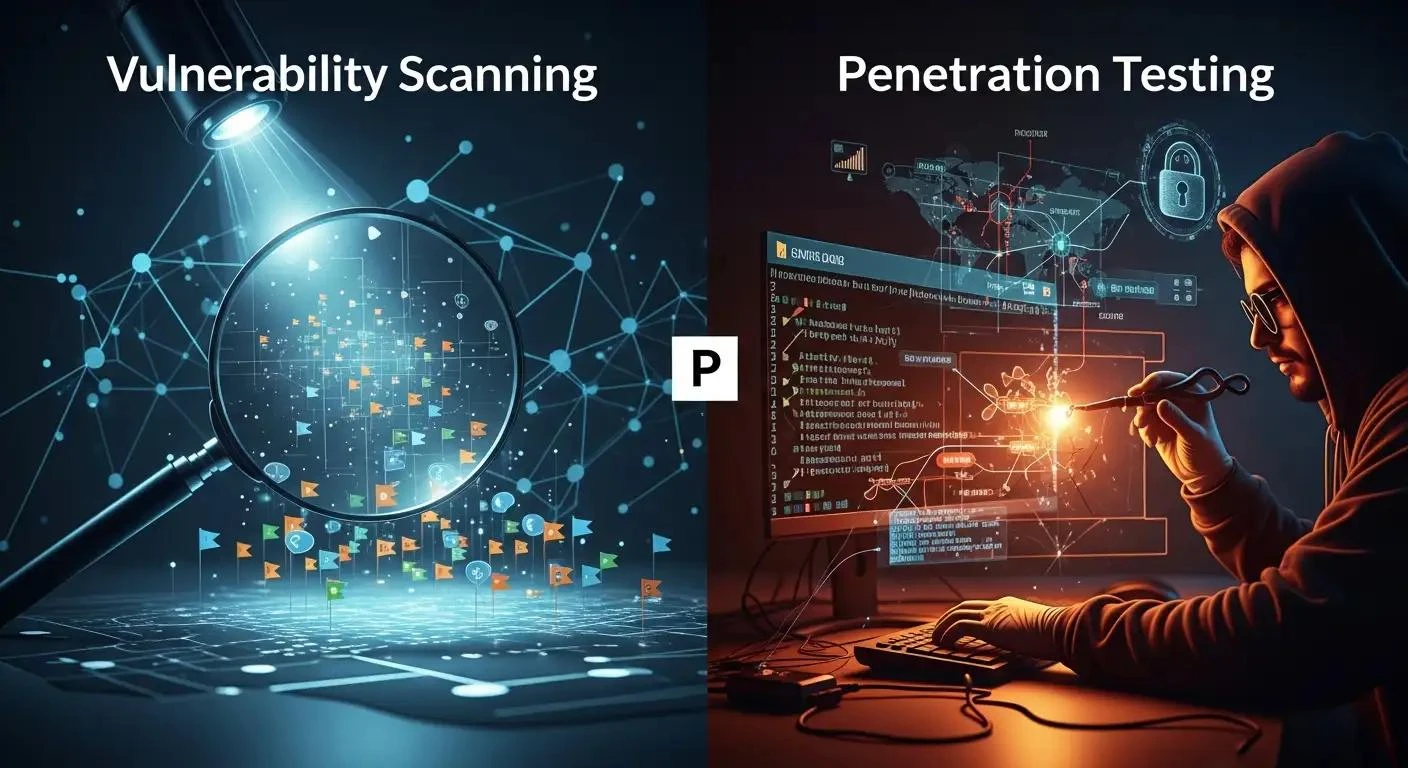
Vulnerability scanning and penetration testing are related cybersecurity practices, but they serve different purposes.
A vulnerability scanner primarily identifies potential weaknesses through automated checks. Penetration testing involves authorized security testing designed to determine whether weaknesses can be exploited and what impact that exploitation could have.
| Feature | Vulnerability Scanning | Penetration Testing |
|---|---|---|
| Primary purpose | Find potential security weaknesses | Evaluate whether weaknesses can be exploited |
| Typical approach | Mostly automated checks | Manual testing combined with specialized tools |
| Coverage | Can cover many assets quickly | Usually focuses on a defined scope |
| Frequency | Can be scheduled frequently or continuously, depending on the tool | Often performed at planned intervals or after significant changes |
| Output | Findings, severity ratings, and remediation guidance | Validated findings, attack paths, and impact analysis |
| Best suited for | Routine vulnerability identification and tracking | Deeper security validation and assessment |
These approaches complement each other. A vulnerability scanner can help identify issues for investigation, while penetration testing can provide deeper insight into selected weaknesses.
Neither approach guarantees that every security problem will be discovered.
Vulnerability Scanning vs. Continuous Security Monitoring
One scan provides a view of potential security weaknesses at a particular point in time. Continuous security monitoring aims to maintain visibility as systems, configurations, threats, and exposure change.
The distinction matters because new vulnerabilities can be disclosed, software can become outdated, and assets can become exposed after an initial assessment.
| Feature | One-Time Vulnerability Scan | Continuous Security Monitoring |
|---|---|---|
| Visibility | A snapshot of the assessed assets | Ongoing visibility, depending on configured checks |
| Detection timing | During the scan | As supported checks run and changes are detected |
| New assets | May be missed until the next scan | May be discovered if asset discovery is supported and configured |
| Alerts | Usually report-based, sometimes with alerts | Can provide alerts when supported conditions are detected |
| Best use | Periodic assessment and audits | Ongoing awareness of security posture |
Continuous monitoring does not necessarily mean that every asset is scanned every second. Different tools check different signals on different schedules.
For businesses that need ongoing visibility into their digital exposure, Sentinal is designed around the idea of a 24/7 AI security employee. Explore Sentinal's website to learn about its available security monitoring capabilities.
What Are the Benefits of Vulnerability Scanning?
Vulnerability scanning can help businesses improve their security processes in several ways.
1. Identify Weaknesses Earlier
Regular scans can reveal known vulnerabilities and configuration problems before they are discovered by an attacker. Earlier detection gives teams more time to investigate and respond.
2. Reduce Security Blind Spots
Businesses often manage multiple domains, servers, applications, and third-party components. Appropriate scanning helps make potential weaknesses across authorized assets more visible.
3. Prioritize Remediation
A structured report helps teams focus on the most important findings instead of treating every issue as equally urgent.
4. Support Security Maintenance
Recurring scans can help organizations identify newly introduced weaknesses after software updates, infrastructure changes, and application releases.
5. Improve Security Awareness
Reports help business owners, developers, and IT teams understand their security posture and make informed decisions about remediation.
6. Support Compliance Activities
Vulnerability scanning may support internal security policies, risk-management programs, and certain compliance requirements. However, scanning alone does not establish compliance with a standard or regulation.
How Often Should You Run a Vulnerability Scan?
There is no single schedule that works for every organization. The appropriate frequency depends on your risk level, technology environment, regulatory obligations, and the capabilities of your scanning tools.
| Situation | Suggested Approach |
|---|---|
| Small business website | Establish a regular scanning schedule and review important changes |
| Public-facing production application | Scan regularly and reassess after significant updates or exposure changes |
| Critical infrastructure | Follow a risk-based schedule with prompt assessment of relevant new vulnerabilities |
| Newly deployed application | Assess before release and after significant changes |
| Newly disclosed critical vulnerability | Determine whether affected assets are present and assess them promptly |
| Major infrastructure or configuration change | Reassess the affected systems |
Organizations should follow applicable security policies and vendor guidance. A scanner's ability to run continuously does not remove the need to investigate alerts, apply patches, and validate fixes.
What Are the Limitations of Vulnerability Scanners?
Although vulnerability scanning is valuable, it has limitations that users should understand.
False positives: A scanner may report a vulnerability that is not actually present or exploitable in the target environment.
False negatives: A scanner may miss a vulnerability because its checks do not cover it, access is restricted, or the issue requires manual investigation.
Limited context: Automated tools may not fully understand the business impact of a weakness or the way multiple issues interact.
Incomplete coverage: Assets that are unknown, excluded, unreachable, or incorrectly configured may not be assessed.
No automatic remediation guarantee: Some tools provide recommendations, but fixes may require a developer or security professional.
Changing threat landscape: New vulnerabilities and attack techniques continue to emerge, so yesterday's clean report does not guarantee today's security.
The best approach combines appropriate scanning, timely patch management, secure configuration, monitoring, and expert investigation when needed.
How to Choose the Right Vulnerability Scanner
Before selecting a tool, consider the following factors.
- Asset coverage: Does it support the websites, servers, applications, or cloud environments you need to assess?
- Detection capabilities: Which vulnerability categories does it actually detect?
- Scanning frequency: Can you schedule scans at the frequency your risk level requires?
- Monitoring and alerts: Does it notify you when supported security conditions change?
- Reporting: Are findings understandable and accompanied by useful remediation guidance?
- Integrations: Can it fit into your existing development and security workflows?
- Ease of use: Can your team understand and act on the results without unnecessary complexity?
- Cost and scalability: Does it fit your budget and support your expected number of assets?
- Authorization and safety: Does it support controlled scanning of assets you are permitted to test?
For smaller businesses, an accessible security dashboard with clear findings and practical next steps can make routine security management easier.
If you are looking for ongoing security visibility, visit Sentinal to explore the tool and its available features.
How Sentinal Fits Into a Security Monitoring Strategy
A vulnerability scanner helps identify potential weaknesses. A broader monitoring strategy helps businesses maintain visibility into their digital assets and respond when relevant security conditions change.
Sentinal is positioned as a 24/7 AI Security Employee for organizations that want better awareness of their cybersecurity posture.
Depending on the features available in your chosen setup, useful areas to assess as part of a security monitoring strategy include:
- Website and domain security visibility.
- SSL/TLS certificate status.
- Exposed services and potential attack surface.
- Known vulnerabilities and security findings.
- Suspicious activity and other supported security signals.
- Clear reporting to help teams investigate and prioritize risks.
Before relying on any tool for a specific check, confirm that the capability is included, enabled, and supported for your assets.
Want to improve your security visibility? Visit aicybersecuritytool.com to explore Sentinal and see whether its available monitoring capabilities fit your needs.
Frequently Asked Questions
1. What is a vulnerability scanner in simple terms?
A vulnerability scanner is a cybersecurity tool that checks authorized systems for potential security weaknesses, such as outdated software, known vulnerabilities, and insecure configurations.
2. How does a vulnerability scanner work?
It gathers information about a target, evaluates that information using detection rules or vulnerability data, identifies potential weaknesses, and generates findings that can be investigated and fixed.
3. Is vulnerability scanning the same as penetration testing?
No. Vulnerability scanning primarily identifies potential weaknesses through automated checks. Penetration testing uses authorized testing techniques to validate weaknesses and evaluate their potential impact.
4. Can a vulnerability scanner detect all cyber threats?
No. A scanner only detects the issues covered by its capabilities and the checks it can perform. It may miss unknown vulnerabilities, certain business-logic flaws, and threats requiring deeper investigation.
5. Are vulnerability scanners safe to use?
Authorized vulnerability scanning is a standard security practice, but some checks can create additional load or affect fragile systems. Use appropriate settings, test carefully, and obtain permission before scanning any system.
6. How often should I scan my website for vulnerabilities?
Scan regularly based on your website's risk, update frequency, and security requirements. Reassess after significant changes and investigate relevant newly disclosed vulnerabilities promptly.
7. What is the difference between a vulnerability scanner and a malware scanner?
A vulnerability scanner looks for potential security weaknesses. A malware scanner focuses on detecting malicious software or related indicators. Some security products offer both capabilities, but they are not interchangeable.
8. Can small businesses benefit from vulnerability scanning?
Yes. Small businesses can use vulnerability scanning to identify known weaknesses, improve patch management, and make more informed security decisions without necessarily maintaining a large in-house security team.
9. What is continuous vulnerability monitoring?
Continuous vulnerability monitoring is the ongoing process of checking supported assets and security signals for newly identified or changing weaknesses. Actual scan frequency and coverage depend on the tool and its configuration.
10. Is a vulnerability scanner enough to secure my website?
No. Scanning should be combined with software updates, secure configurations, access controls, backups, monitoring, and appropriate security testing. A clean scan is not proof that a website is completely secure.
Final Thoughts
Understanding what a vulnerability scanner is is an important first step toward better cybersecurity. These tools help organizations identify potential weaknesses, prioritize remediation, and maintain a clearer view of their security posture.
However, scanning is only one part of an effective security strategy. Regular reassessment, timely fixes, and ongoing visibility are equally important as websites and infrastructure evolve.
If you want to strengthen your organization's security awareness with a 24/7 monitoring approach, explore Sentinal — Your AI Security Employee and review the capabilities available for your security needs.
Security note: Only scan systems you own or have explicit authorization to assess. Vulnerability scanning results should be reviewed and validated before making security decisions.